An order ready screen for Square.
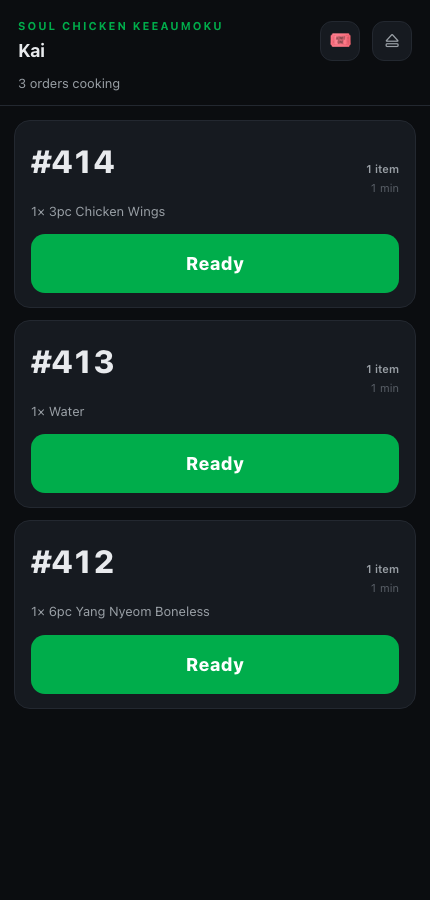
Keep ringing up on Square. Every order shows up on a staff phone, one tap marks it Ready, and your TV calls the customer’s number — or their name when the order has one.


Set up in a few minutes.
- STEP 01
Connect Square
Sign in with your Square account and approve. Orders start coming in on their own.
- STEP 02
Bring in your menu
One tap imports it from Square — photos, categories and options included.
- STEP 03
Pair a TV
Open serveboard.app/tv on the TV, scan the code with your phone, done.
In Square, turn on Auto-assign ticket numbers: Settings → Device management → Modes → Manage → Checkout → Order tickets. The board then calls the number your customer is holding.
Square orders on every phone
Staff see the open orders and tap Ready when food is up. No second register, no retyping.
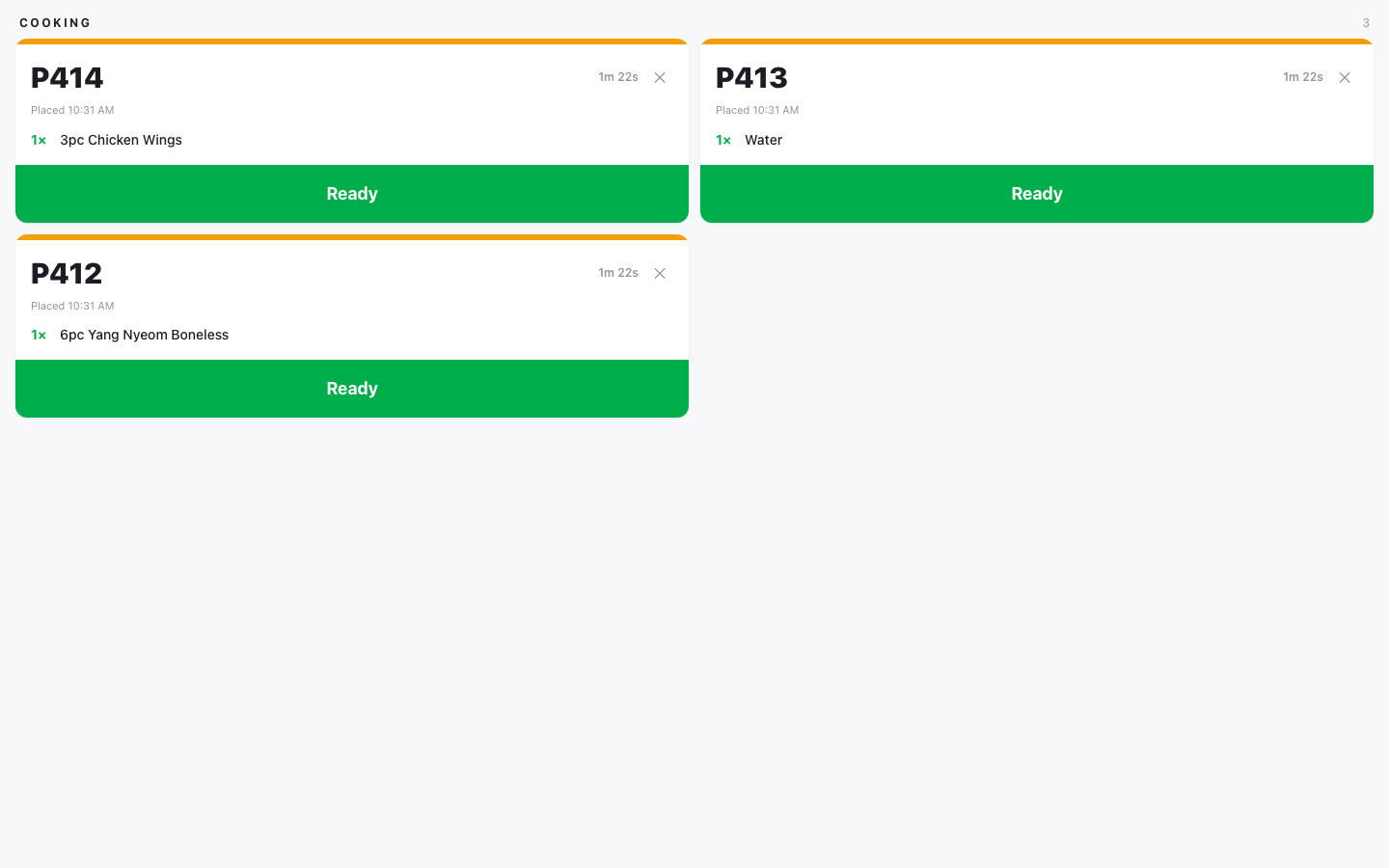
A kitchen screen for Square orders (Pro)
Tickets as they land, oldest first. One tap on Ready calls the number.
Your Square menu on the TV (Plus)
Between calls the TV shows your menu, photos and specials. Change a price in Square, import again, and the boards follow.
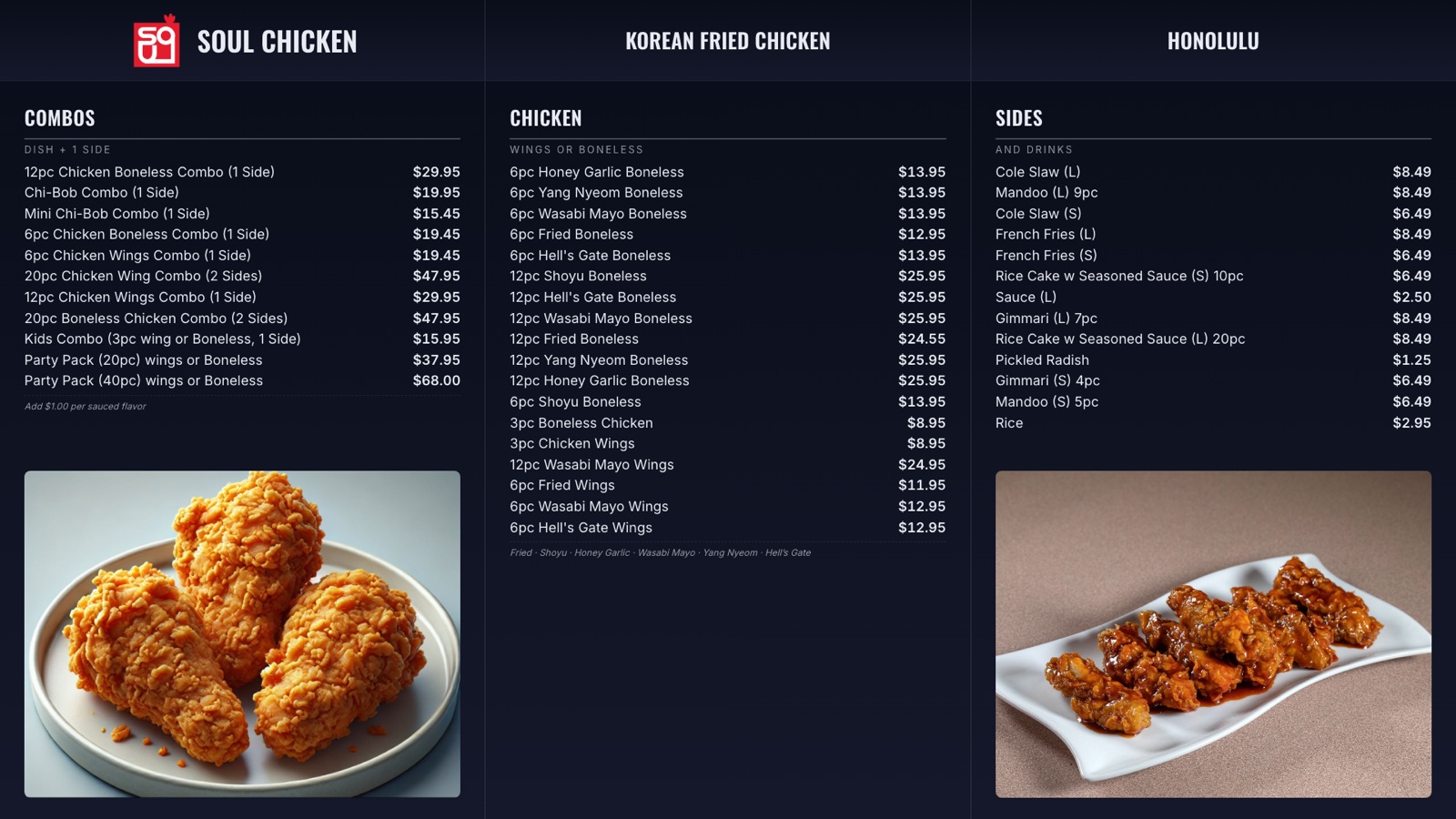
Every screen on this page is a capture from Soul Chicken in Honolulu, where ServeBoard runs every day.
Questions owners ask.
Do I have to change how we use Square?
No. Ring up exactly as you do now. ServeBoard picks up the order and adds the screen and the Ready button.
Does it work with Square online orders?
Yes. Any order that lands in your Square account shows up on the phone and the board.
Can sales from your counter or kiosk go into Square?
Yes. Turn on one switch and those sales are copied into Square, so your Square reports stay complete.
Do I need a Square KDS?
No. Pro includes a kitchen screen that shows your Square orders. If you already have one, ServeBoard works next to it.
How much is it?
From $39 a month. 14 days free, no card up front, cancel anytime.
Ready to stop yelling order numbers?
Setup in 5 minutes. Cancel anytime. First 14 days on us.
— or fully standalone